I’ve been building my sound blog and want each entry to have its own image. Since the entries are audio, for most people there’s no image to look at. I wrote a script to generate small images I can use.
The script grabs a random image file from a specific directory and does a number of operations on it. Things like increasing saturation, dithering, edge detection, and pixelating change the image into something mostly unrecognizable. I think its output looks cool. Colorful, glitchy, and weird. Just the way I like it.
Here are some examples:
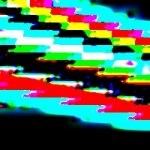
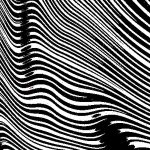
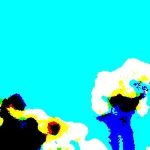
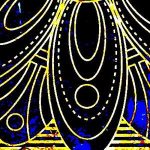
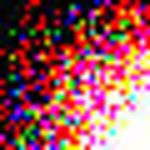
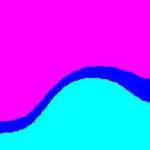
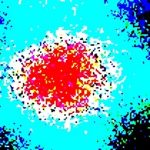

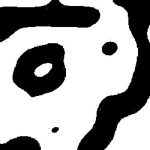
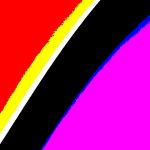
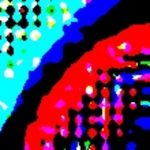
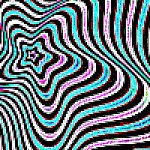
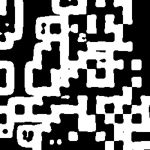
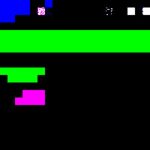
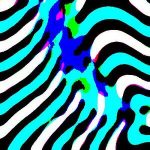
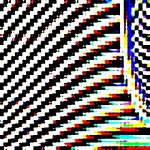
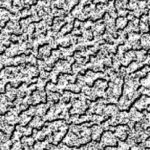
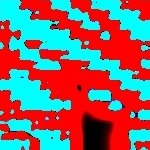

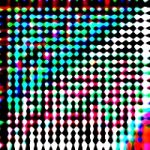
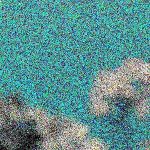
There are similarities between them but overall I like the variation.
The script uses Imagemagick to wrangle the images, and there are many more operations you can do to images. In the future maybe I’ll add them to the script.
If you’re interested, here is the code that generated the images. If you want to run it yourself, you’ll need to have Imagemagick installed and change the paths at the top of the script. On Mac or Linux you already have bash, so you’re good to go. On Windows I’d recommend using Cygwin or Git Bash.
Make some rad images!
#!/usr/bin/bash

# set up paths
source_images="/home/chris/scripts/images" # where are your images?
workdir="/home/chris/scripts/images/working" # this is where the output will go
output_filename="$RANDOM.jpg" # random filename

## functions ###############################################

rand () {
    echo $(( RANDOM % 101 ))
}

genImage () {
    filename="$1"
    #echo "generating image"
    convert -size 300x300 xc: +noise Random "$filename"
}

pixelate () {
    #echo "pixelating"
    convert -scale 5% -scale 1000% "$filename" "$filename"
}

increaseContrast () {
    level="$1"
    #echo "increasing contrast - level $level"
    convert -level 50%,"$level" "$filename" "$filename"
}

zebra () {
    #echo "doing zebra"
    convert "$filename" -blur 0x12 -normalize -size 1x19 pattern:grey50   -fx 'v.p{0,G*(v.h-1)}' "$filename"
}

duotone () {
    #echo "doing duotone"
    convert -define modulate:colorspace=HSB "$filename" -modulate 100,100,270 "$filename"
}

color () {
    #echo "doing color"
    convert "$filename" +level-colors green,gold "$filename"
}

invert () {
    #echo "inverting"
    convert "$filename" -channel red -negate "$filename"
}

crop () {
    #echo "cropping"
    convert "$filename" -crop 400x400+90+90 "$filename"
}

edges () {
    convert -blur 0x2  -edge 10 "$filename" "$filename"
}

mesas () {
    convert -blur 0x2 -edge 10 -fx G -shade 120x45 "$filename" "$filename"
}

resize () {
    convert "$filename" -resize 300x300 "$filename"
}

polaroid () {
    convert "$filename" -polaroid "$filename"
}


dither () {
    #convert "$filename" -dither Riemersma -colors 16 "$filename"
    convert "$filename" +dither -posterize 2 "$filename"
}

dither2 () {
    convert "$filename" -random-threshold 0x100% "$filename"
}

dither3 () {
    convert "$filename" -ordered-dither o2x2 "$filename"
}

dither4 () {
    convert "$filename" -ordered-dither o8x8 "$filename"
}

dither5 () {
    convert "$filename" -ordered-dither h4x4a "$filename"
}

transpose () {
    convert "$filename" -transpose "$filename"
}

######################################################
decide () {
    # decide whether to run the function (passed as an argument) or not
    func="$1"
    num1=$(( RANDOM % 101 ))
    num2="$2"

    echo "deciding..."
    echo "num1= $num1, num2=$num2"

    if [[ $num1 -gt $num2 ]];
    then
        echo "running function..."
        "$1"
    fi
}
#######################################################

cd "/home/chris/scripts/images/"
pwd

# choose a random file
start_filename="$(find ./ -type f | shuf -n 1)"

echo "copying $start_filename to $workdir/$output_filename"

cp "$start_filename" "$workdir/$output_filename"
filename="$output_filename"

echo "filename is: $filename"

cd $workdir
pwd

#######################################

# make it into a square
crop

# here's where the fun happens
# the syntax is:
# decide <function> <chance it won't be run>
# I know, that's weird and opposite of usual

# you can comment out or move these around to get different outputs

#decide increaseContrast $(rand) 96
#decide pixelate 96
decide zebra 96
decide transpose 96
decide zebra 96
#decide transpose 96
#decide pixelate 96
decide zebra 96
decide edges 96
#decide dither2 2
decide edges 96
#decide dither5 96
#decide pixelate 96
decide increaseContrast $(rand) 96
#decide pixelate 96
decide invert 96
#decide edges 96
decide mesas 96
#decide zebra 96
decide mesas 96
decide zebra 96
decide polaroid 4
decide invert 96

# make a uniform size
resize

# if you want to see the image in chromium immediately
#chromium "$filename"
Leave a comment?